Power Studio version 1.14.1
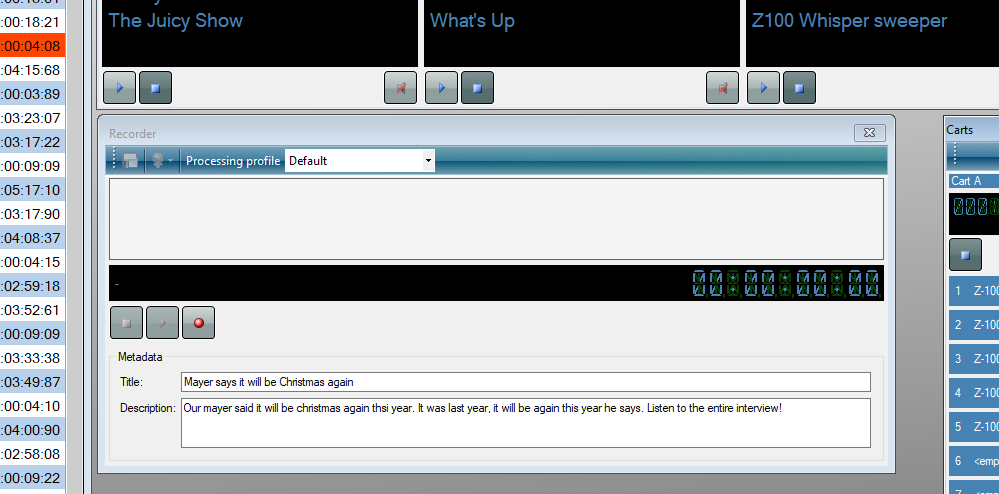
Fri, 05 MayPower Studio version 1.14.1 is now available. This maintenance update focuses on download, API and platform reliability, remote and multi-studio workflows and mix editing and voice tracking, the kind of behind-the-scenes work that keeps production machines predictable. It is a sensible update for stations that want current components, fewer edge cases and a stable day-to-day workflow.
Power Studio users can download version 1.14.1 from the download-page. The full release notes are listed below.
Mix editor improved
You can now zoom in with the mouse wheel. Zooming in is also more precise. Playout in the mixeditor can now also be start with the spacebar and by double clicking the mouse on the location it must be starting from.
Training Mode improved
When switching to Training Mode, a new playlist can immediately can be selected. (The mode opening with no playlist selected was confusing.) In Training Mode, the playlist duration is now correctly counted down is the right upper corner. In the Mix Editor the Previous Mix / Next Mix buttons are also operational during Training Mode. When the playlist is empty, some toolbar buttons/context menu items were still enabled, but did not do anything because there was no playlist. This has been fixed.
External schedulers
Using the menu-item "Export tracks..." in the Tracks region of the navigation bar, the tracks database can be exported to a comma separated text file, which can be used to import/sync the Power Studio database with an external scheduler or any other external system e.g. the request page of a website. Also the Power Studio block-import (which can be used to import) van now import macros e.g. news download.
More sound encoders included by default
The MP3 encoder is now included with the installation by default. AAC/AAC+ encoding is also included with the installation. Note that, because of licensing constraints, Winamp needs to be installed to use these AAC/AAC+ encoders.
AAC recording can also be added by downloading the free Nero AAC encoder and placing the file "neroAacEnc.exe" in Power Studio's Encoders folder. The Nero AAC encoder can be downloaded from http://www.free-codecs.com/nero_aac_codec_download.htm and other sites.
Support for MP2 recording, can be added by downloading the TwoLAME encoder and placing the file "twolame.exe" in Power Studio's Encoder folder. The TwoLAME encoder can be downloaded from http://www.twolame.org/.
Various small improvements
- Fixed defect that caused a non-floating playlist to not start on time after a 1-track-playlist.